
Know Exactly How to Fix Any Photo
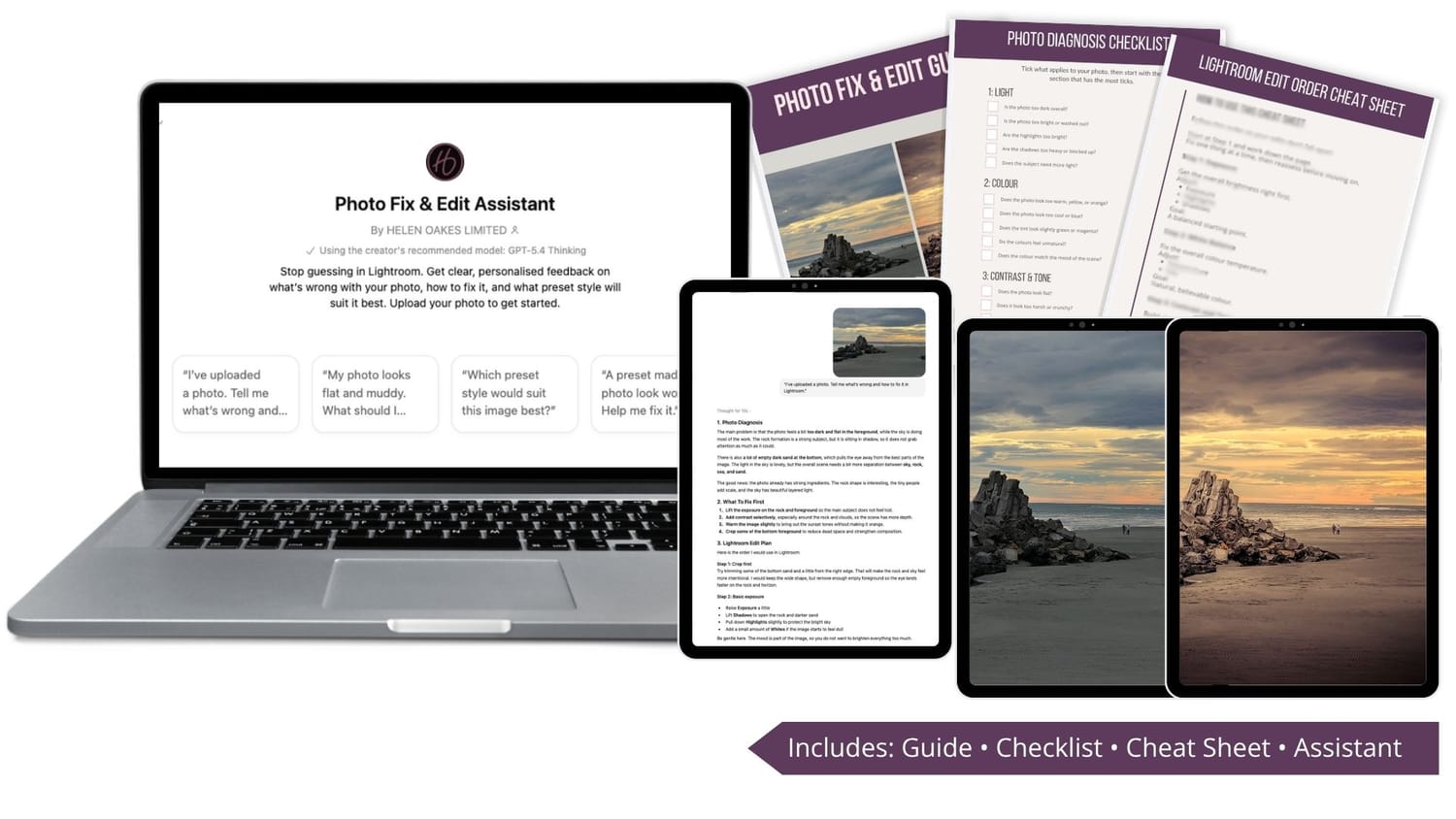
Edit with Confidence in Lightroom
Get personalised guidance on what your photo needs, what to adjust first,
and how to create the look you want.
Includes instant access to all kit resources and the assistant.
Inside the kit, you’ll get:
✅ Photo Fix & Edit Guide
✅ Photo Diagnosis Checklist
✅ Lightroom Edit Order Cheat Sheet
✅ Photo Fix & Edit Assistant
If your edits still don’t look right, this will fix that
You take a photo you like, then the edit just doesn’t come together.
It looks:
flat
too dark
muddy
overdone
or just not quite right
You try a preset.
You adjust a few sliders.
And somehow it still feels off.
The problem isn’t Lightroom.
It’s not knowing what to fix first.
Introducing
Photo Fix & Edit Kit
A simple photo-fixing kit that helps you figure out what’s wrong, what to fix first,
and how to improve your image faster in Lightroom.
What You Get Inside the Photo Fix & Edit Kit
Photo Fix & Edit Guide
A practical guide that shows you why your photos still look wrong and what to check before you start editing.
Photo Diagnosis Checklist
Quickly identify whether the issue is light, colour, contrast, composition, or preset mismatch.
Lightroom Edit Order Cheat Sheet
Know exactly what to adjust first, second, and last so your edits don’t fall apart.
Photo Fix & Edit Assistant
Upload one image and get clear direction on what looks off and what to fix first.
Why This Works When Other Edits Don’t
Most editing problems don’t come from needing more presets or more sliders.
They come from not knowing what to fix first.
That’s why photos can still look flat, muddy, too dark, overdone, or just not quite right, even after you’ve tried to edit them.
The Photo Fix & Edit Kit gives you a simple way to pause, diagnose the problem, and follow a clear editing order before you start guessing.
You’ll know what to check, what to fix first, and when to use the assistant for extra guidance on a specific image.
Frequently Asked Questions
Q: Is this a course?
A: No. This is a practical photo-fixing kit designed to help you quickly work out what’s wrong with your image and what to fix first in Lightroom.
Q: Do I need to be good at Lightroom?
A: No. This is designed for beginners and anyone who feels unsure what to adjust first.
Q: What exactly do I get?
A: You’ll get the Photo Fix & Edit Guide, a diagnosis checklist, an edit order cheat sheet, and access to the Photo Fix & Edit Assistant.
Q: How does the Photo Fix & Edit Assistant work?
A: You upload a photo, ask what looks off, and it gives you clear guidance on what to fix first and how to approach your edit.
Q: Do I need Lightroom to use this?
A: Yes. The guide and assistant are designed to help you make better editing decisions in Lightroom.
Q: Will this fix every photo automatically?
A: No. It gives you a clear starting point and direction, so you can make better edits with more confidence.
Q: How do I access everything after I purchase?
A: You’ll get instant access to the guide, checklist, cheat sheet, and the assistant link.
About Helen
Hi, I’m Helen, a photographer and photo editor.
After years behind the camera and thousands of hours in Lightroom, I’ve seen the same problem come up again and again:
Photos don’t look right, and people don’t know what to fix first.
It’s not a lack of presets or tools.
It’s a lack of clarity.
That’s why I created the Photo Fix & Edit Kit.
To give you a simple way to:
spot what’s actually wrong
fix the most important thing first
and stop guessing your way through edits
So you can spend less time going in circles, and more time creating photos you’re happy with.
— Helen

Ready to Stop Guessing in Lightroom?
If your photo isn’t set up properly, even the best preset won’t fix it.
The Photo Fix & Edit Kit gives you a simple way to work out what’s wrong and what to fix.
Upload one photo and find out what’s really making your edit look wrong.
HELEN : OAKES LIMITED | Disclaimer | Contact | Agreements | Privacy Policy | Home
All content displayed on these pages is protected by international copyright law.